 InjectLog
Products and containers
Products and containers
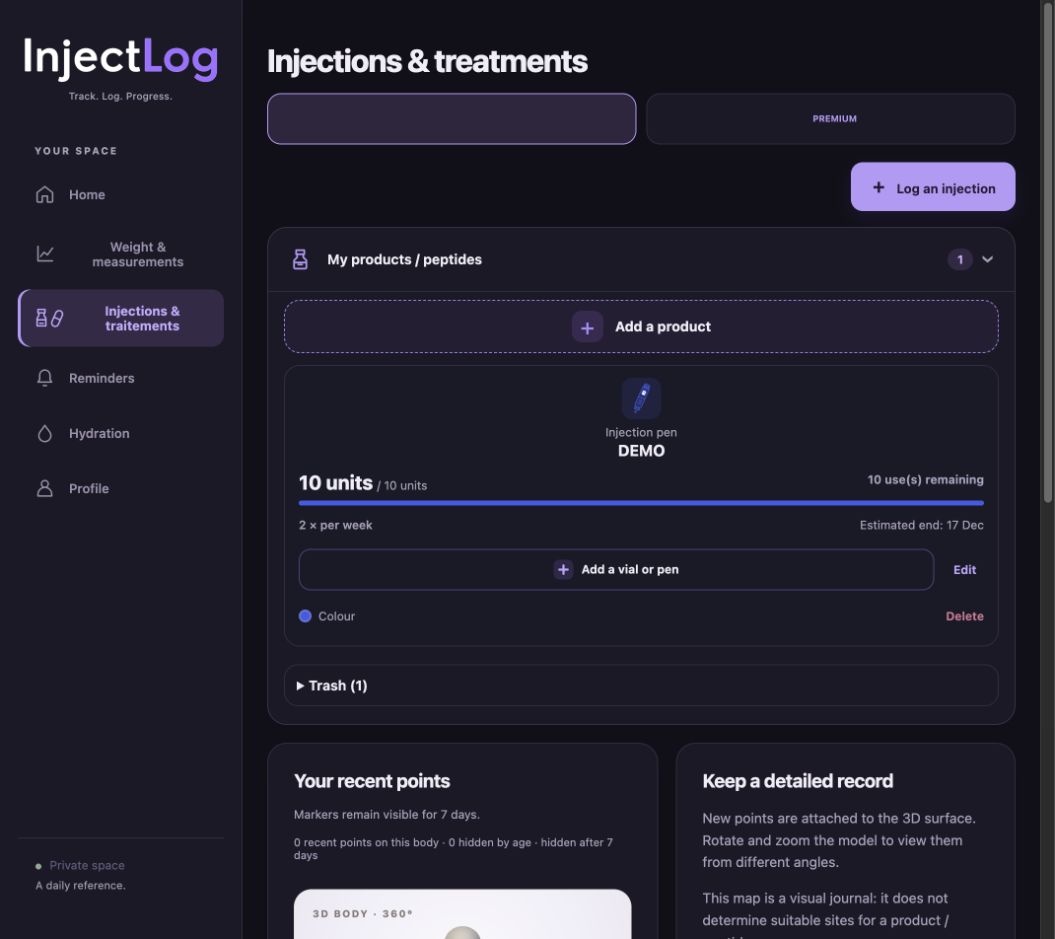
In Injections & treatments → Injections → My products / peptides, add, edit or remove a product and its colour.
Steps
- In Injections & treatments → Injections → My products / peptides, add, edit or remove a product and its colour.
- Free: one product in the journal, including its history.
- Removing a used product does not free the slot while its injections remain.
- You can restore the same product for free; another requires Premium.
- A product without injections can be replaced.
- Add a product asks for one name.
- Distinct products can share a name.
- Add a vial or pen keeps that name fixed; use Edit to rename it.
- Always select the appropriate product and container before saving an injection.
Expected result
In Injections & treatments → Injections → My products / peptides, add, edit or remove a product and its colour.
Common problems and solutions
Check the signed-in account, selected section and features included in your plan. If unsure, do not delete data; read troubleshooting or contact support.
Frequently asked questions
Products and containers ?
In Injections & treatments → Injections → My products / peptides, add, edit or remove a product and its colour.