 InjectLog
Products and containers
Trash and restoration
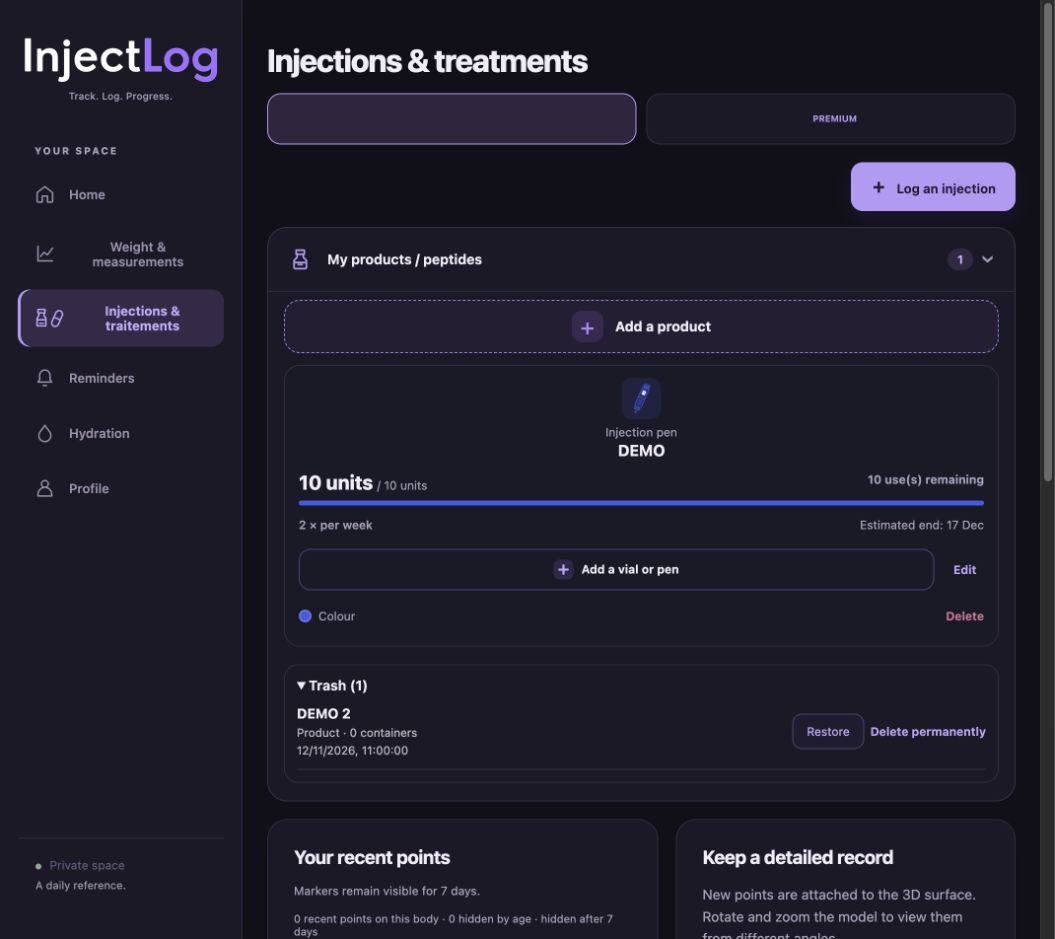
In Injections & treatments, open My products / peptides, then Trash.
Steps
- In Injections & treatments, open My products / peptides, then Trash.
- Choose Restore for the product or container.
- Restoring a container may also restore its parent product: read the confirmation.
- Moving an item to Trash preserves injections.
- Permanent deletion cannot be reversed; do not use it for a simple correction.
Expected result
Permanent deletion cannot be reversed; do not use it for a simple correction.
Common problems and solutions
Check the signed-in account, selected section and features included in your plan. If unsure, do not delete data; read troubleshooting or contact support.
Frequently asked questions
Trash and restoration ?
In Injections & treatments, open My products / peptides, then Trash.